


Display beautiful, customizable buttons that guide customers to your products on Amazon, eBay, Shopee, Tokopedia, and 15+ other platforms.
If you’re selling on multiple platforms, your customers should know about it.
External Marketplace Buttons is a WooCommerce plugin that displays sleek, customizable buttons on your product pages — linking directly to your listings on Amazon, eBay, Shopee, Tokopedia, and dozens of other marketplaces.
No complicated setup. No coding required. Just install, configure, and watch your product pages become multi-channel hubs.
You’ve done the hard work. Your products are listed on Amazon, eBay, Shopee, maybe even Tokopedia or Lazada. But here’s the thing:
They land on your WooCommerce store, browse your products, and if they prefer buying from Amazon or their local marketplace? They leave. They search. Sometimes they find you. Sometimes they find your competitor.
What if you could keep them on your page just a little longer — and show them exactly where else they can buy?
That’s what External Marketplace Buttons does.
External Marketplace Buttons adds customizable marketplace buttons to your WooCommerce product pages, connecting customers to your products on Amazon, eBay, AliExpress, Shopee, Tokopedia, and 15+ other platforms. Perfect for multi-channel sellers, affiliate marketers, and anyone who wants to maximize product visibility across the web.
External Marketplace Buttons puts your marketplace presence front and center. Right there on your product page, customers see clean, professional buttons for every platform where your product is available.
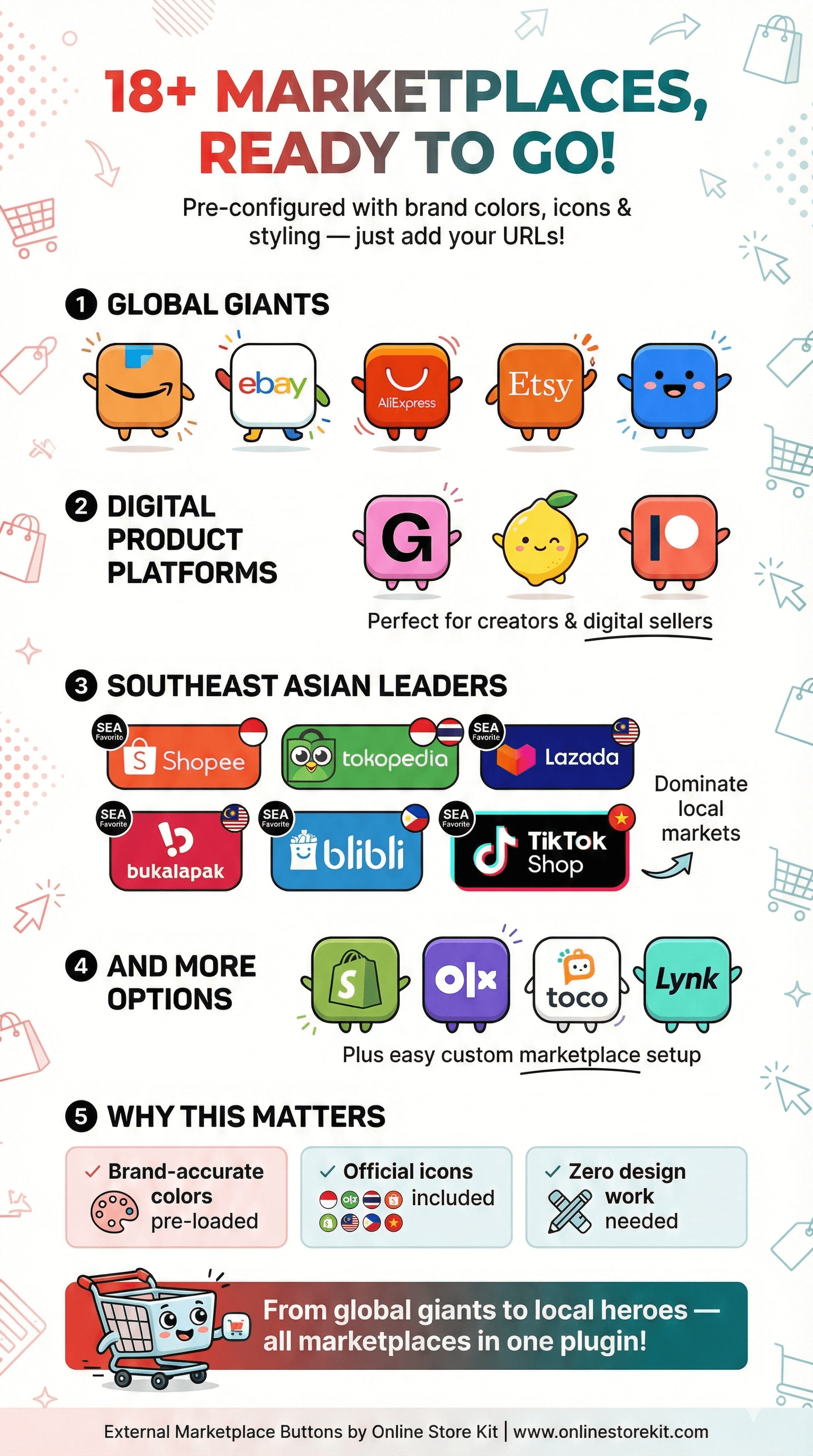
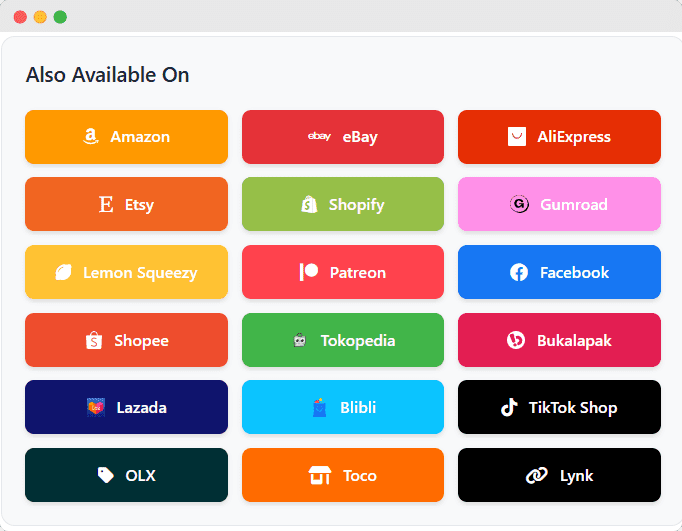
We’ve done the groundwork. External Marketplace Buttons comes pre-configured with support for the world’s most popular marketplaces:
Amazon • eBay • AliExpress • Etsy • Facebook Marketplace
Gumroad • Lemon Squeezy • Patreon
Shopee • Tokopedia • Lazada • Bukalapak • Blibli • TikTok Shop
Shopify • OLX • Toco • Lynk
Each marketplace comes with its brand colors, icons, and styling — ready to use out of the box. Just add your product URLs and you’re live.
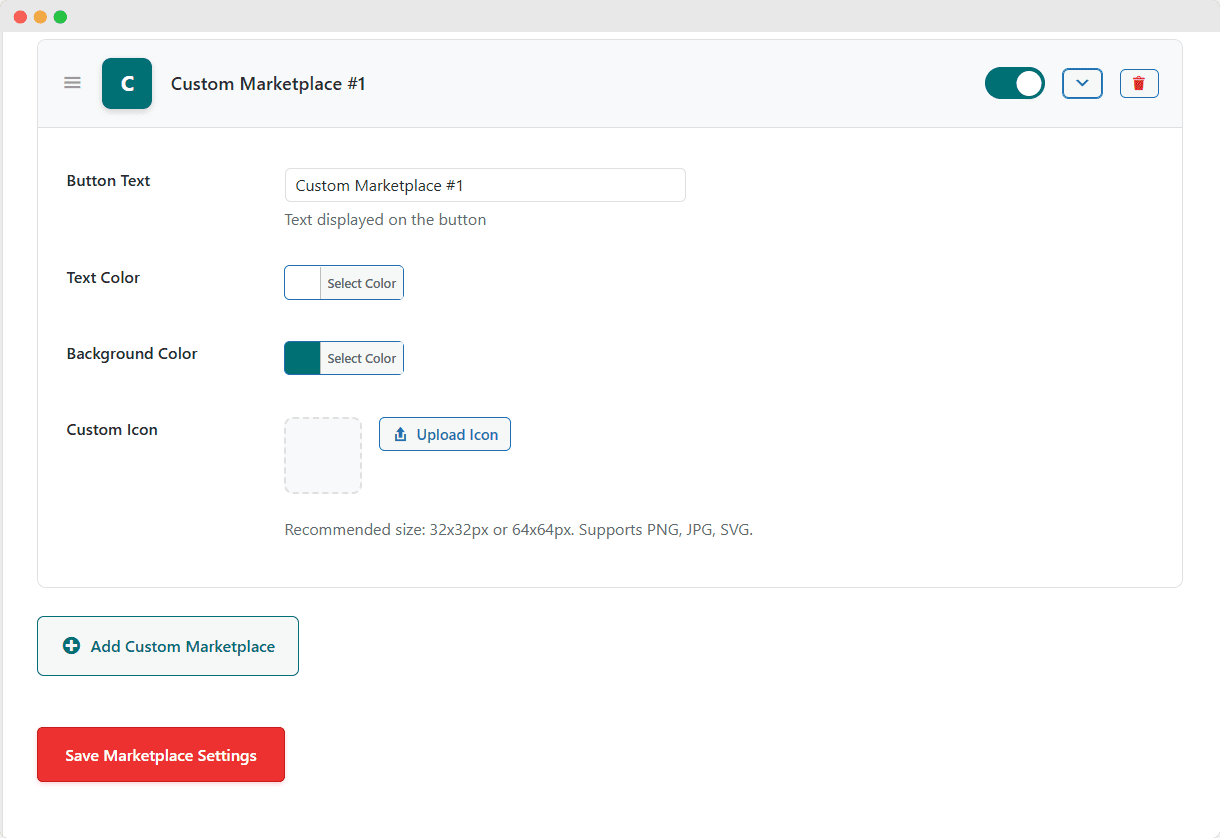
Your business is unique. Maybe you sell on a regional marketplace we haven’t included. Maybe you have your own secondary store. Maybe you’re part of a niche platform.
With External Marketplace Buttons, you can add unlimited custom marketplaces with:
If you can link to it, you can add a button for it.
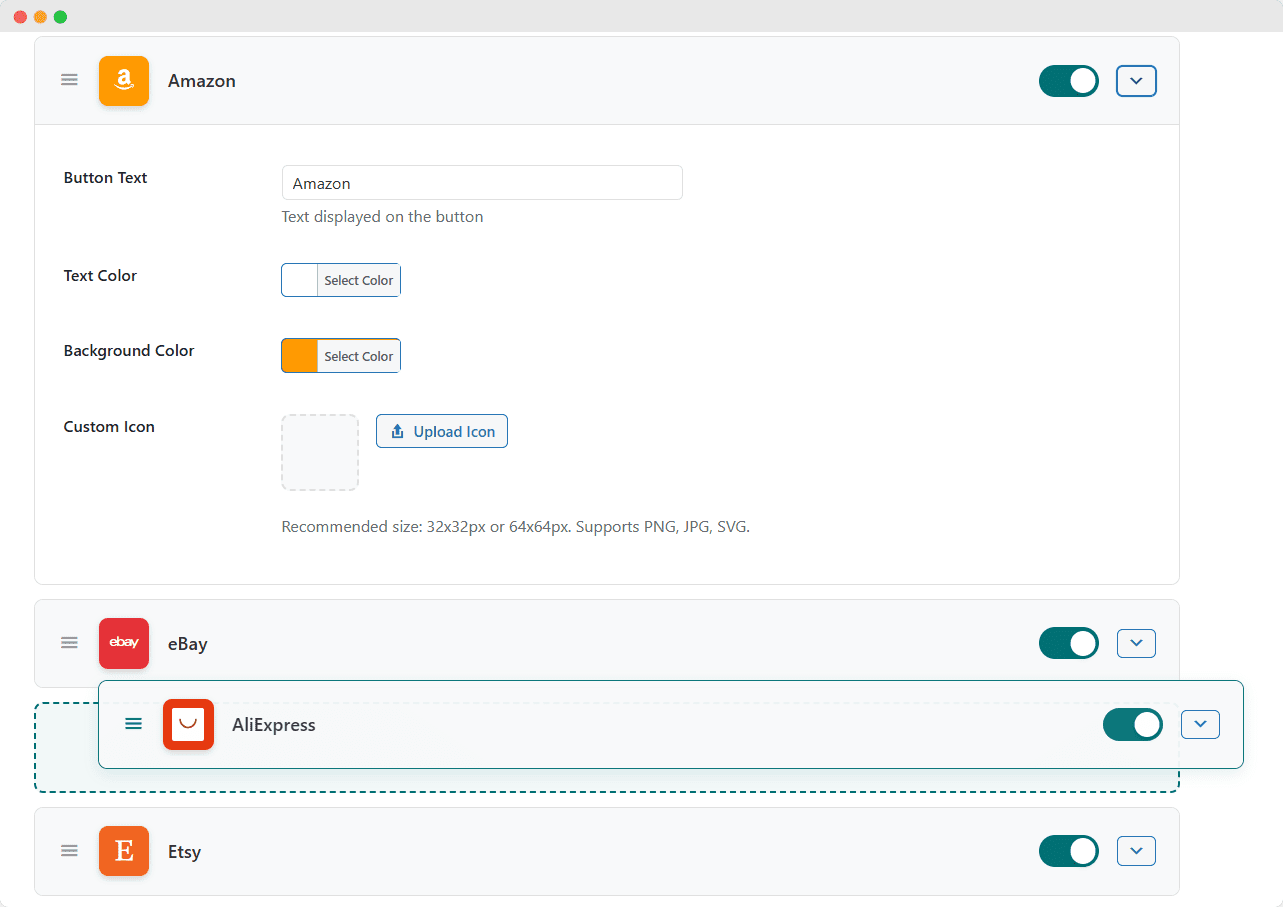
Not all marketplaces are equal for your business. Maybe Amazon drives 60% of your sales. Maybe Shopee converts better for certain products.
With intuitive drag-and-drop ordering, you control exactly how buttons appear:
Your most important marketplaces always get top billing.
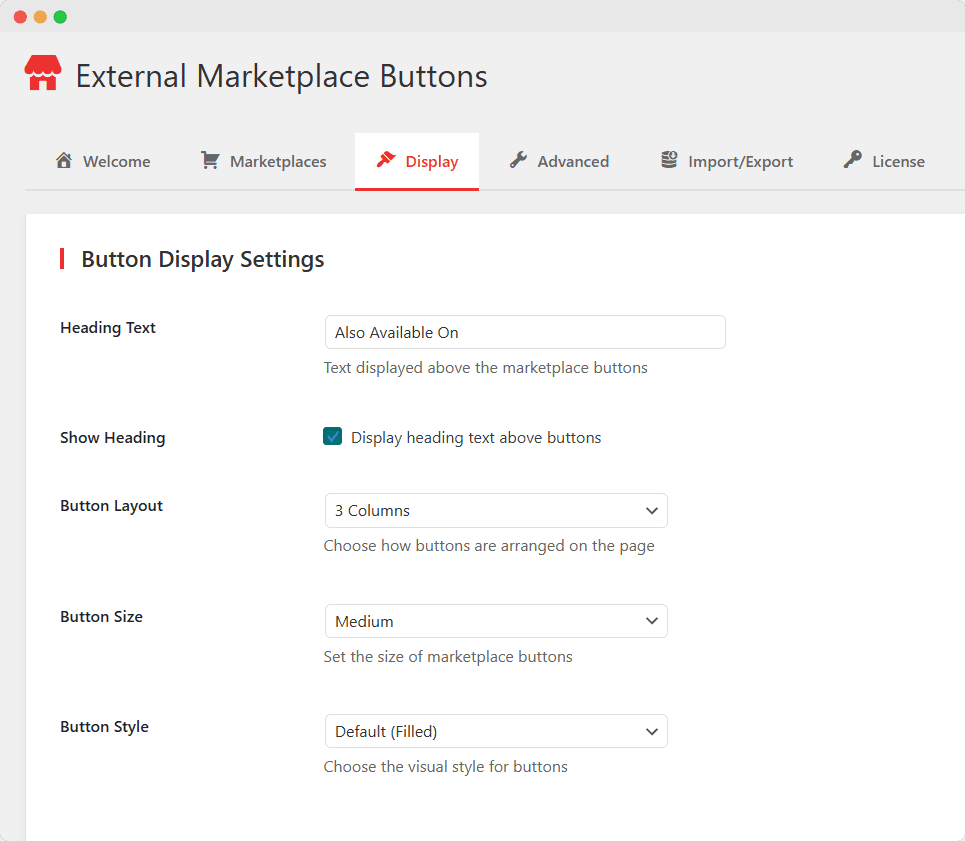
Generic buttons look… generic. Your store deserves better.
Your buttons. Your rules.
Every theme is different. Every product page has its own flow.
Choose from three responsive layouts:
Full-width buttons, stacked vertically
Balanced, side-by-side display
Compact grid for many marketplaces
All layouts automatically adapt to mobile screens. Your buttons look great on every device.
Sometimes, you don’t want customers buying directly from your store. Maybe the product is only available on external marketplaces. Maybe you’re running an affiliate site.
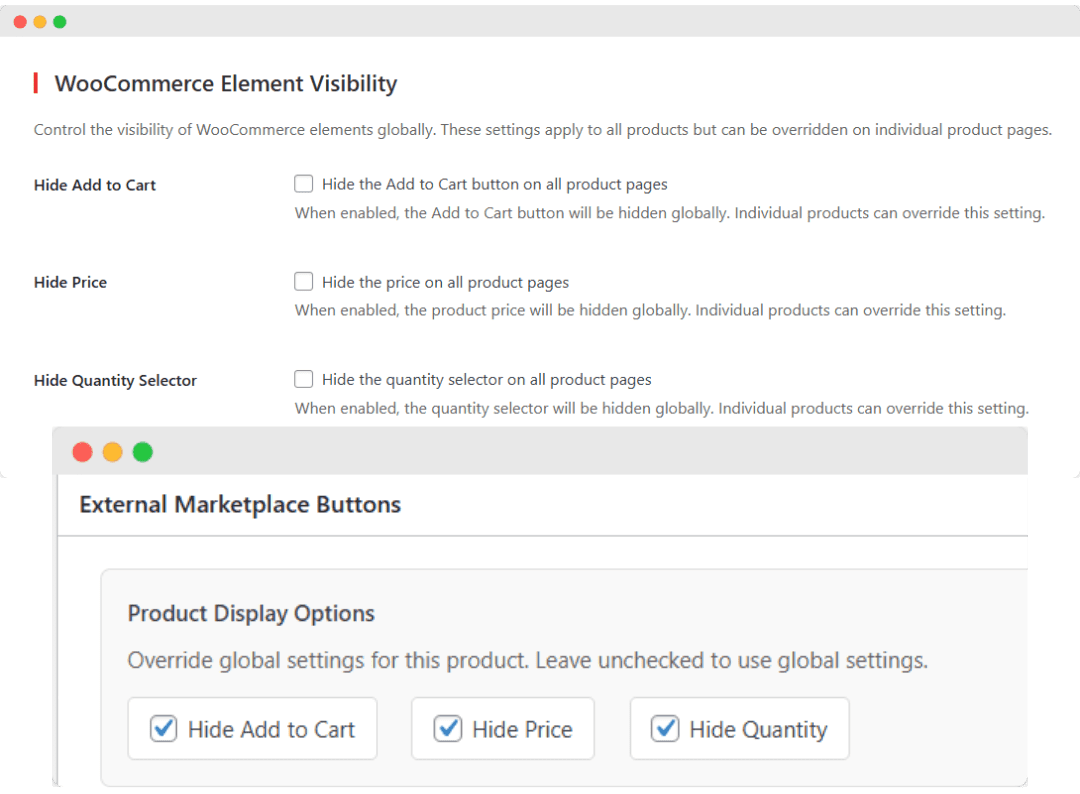
External Marketplace Buttons gives you control:
Remove the purchase button entirely. Guide customers to external marketplaces instead.
When prices vary by marketplace, why show just one? Let customers compare.
Simplify the page when direct purchase isn’t the goal.
Set these globally for all products, or override on individual products. You decide.
Marketing without data is just guessing.
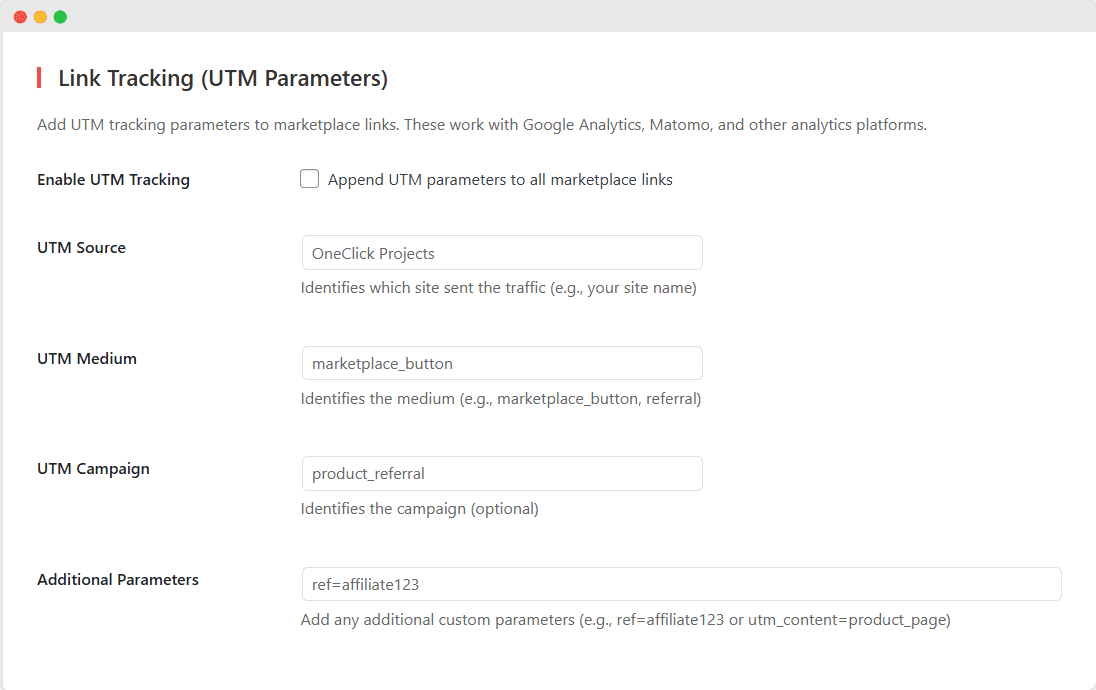
Built-in UTM tracking lets you see exactly which marketplace buttons drive traffic:
Track which site sent the click
Identify the button type
Organize by campaign
Add affiliate IDs, tracking codes, anything
Works seamlessly with Google Analytics, Matomo, and any analytics platform that reads UTM parameters.
Finally, you can answer: “Which marketplace button actually converts?”
Place Buttons Anywhere – Product pages are just the beginning.
Use the [marketplace_buttons] shortcode to display buttons:
[marketplace_buttons product_id="123"]
One shortcode. Endless possibilities.
Your Settings, Portable – Spent time perfecting your marketplace configuration? Don’t lose it.
your entire setup as JSON:
on any site:
For Those Who Want More Control – Sometimes you need to go beyond the settings panel.
Add your own styles to fine-tune button appearance. Full CSS class reference included.
Add tracking scripts, custom interactions, or integrations. jQuery included.
Extensive filters and actions for theme developers and agencies. Modify anything programmatically.
Power users and developers: this plugin was built with you in mind.
Start Fresh Anytime – Made a mess of your settings? Want to start over?
One click returns everything to factory defaults. Clean slate.
Choose whether to keep or delete all plugin data when uninstalling. Your data, your choice.
Built for Modern WooCommerce – External Marketplace Buttons isn’t just feature-rich — it’s built right.
Fully compatible with WooCommerce High-Performance Order Storage. Future-proof your store.
Every button, every layout, every style looks perfect on phones and tablets.
ARIA labels, keyboard navigation, screen reader support. Everyone can use your buttons.
WordPress coding standards. Proper escaping. Secure by design.
New marketplaces, new features, compatibility updates. Your license includes one year of updates.
Discover four powerful strategies to leverage the External Marketplace Buttons plugin and skyrocket your sales across multiple marketplaces simultaneously.
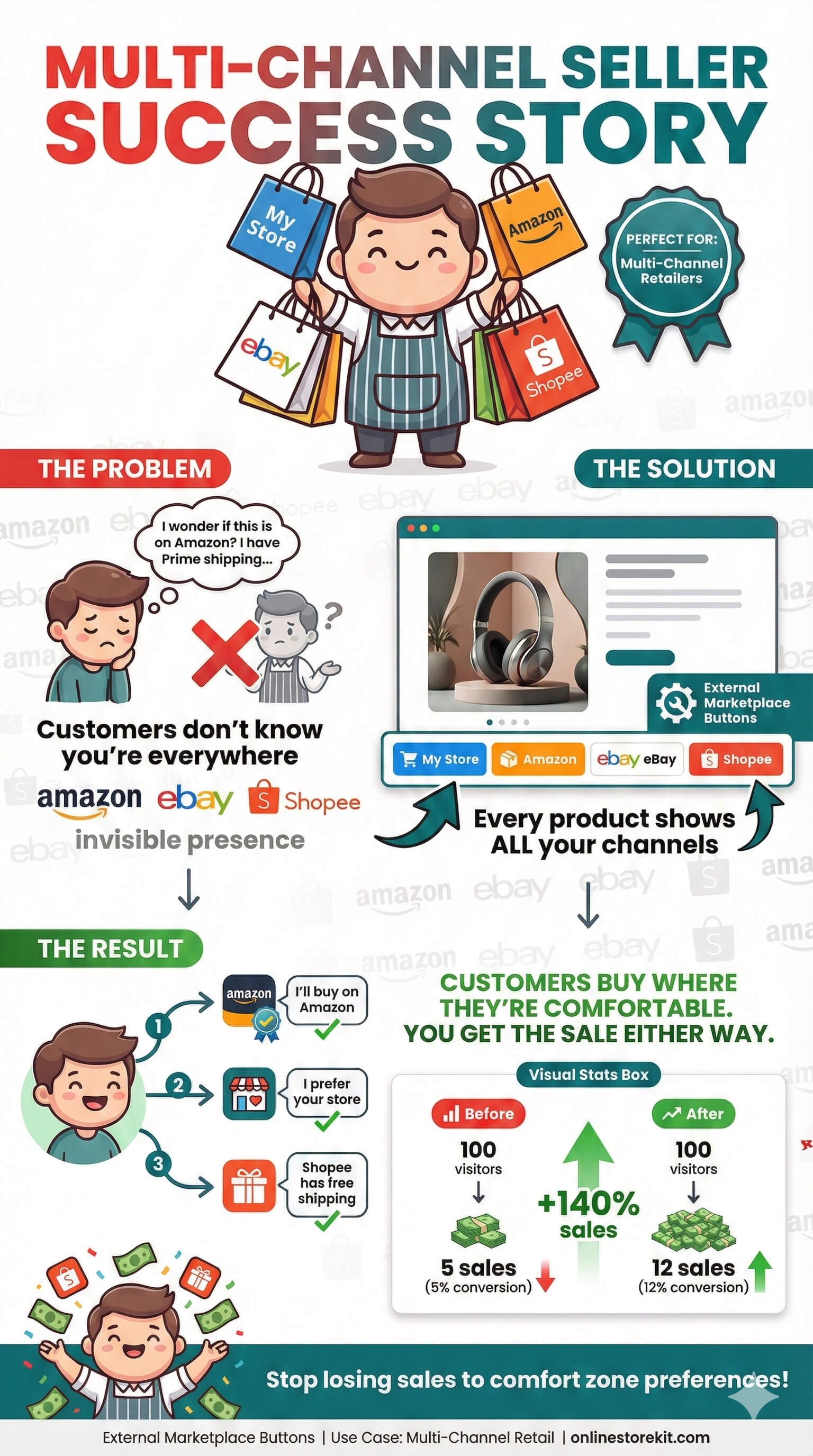
You sell on your own store AND Amazon AND eBay AND maybe Shopee too.
Customers don’t know you’re everywhere.
Show them. Every product page displays buttons for every marketplace where that product is available.
Customers buy where they’re most comfortable. You get the sale either way.
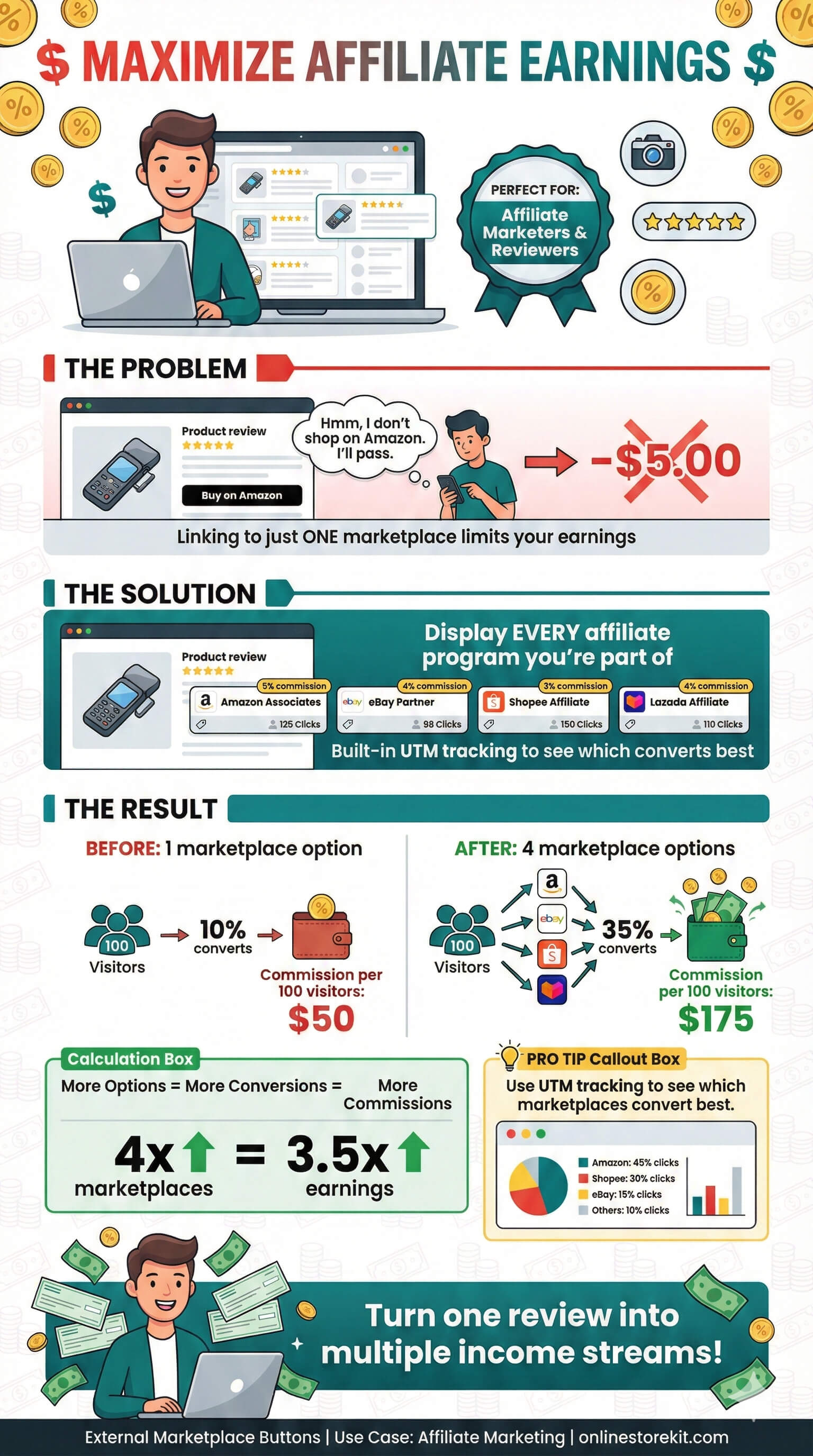
You review products. You recommend products. You earn commissions when people buy.
Linking to just one marketplace limits your earnings.
Display buttons for every affiliate program you’re part of. Amazon Associates, eBay Partner Network, Shopee Affiliates — all on one page.
More options for visitors. More potential commissions for you.
Use UTM tracking to see which marketplaces convert best.
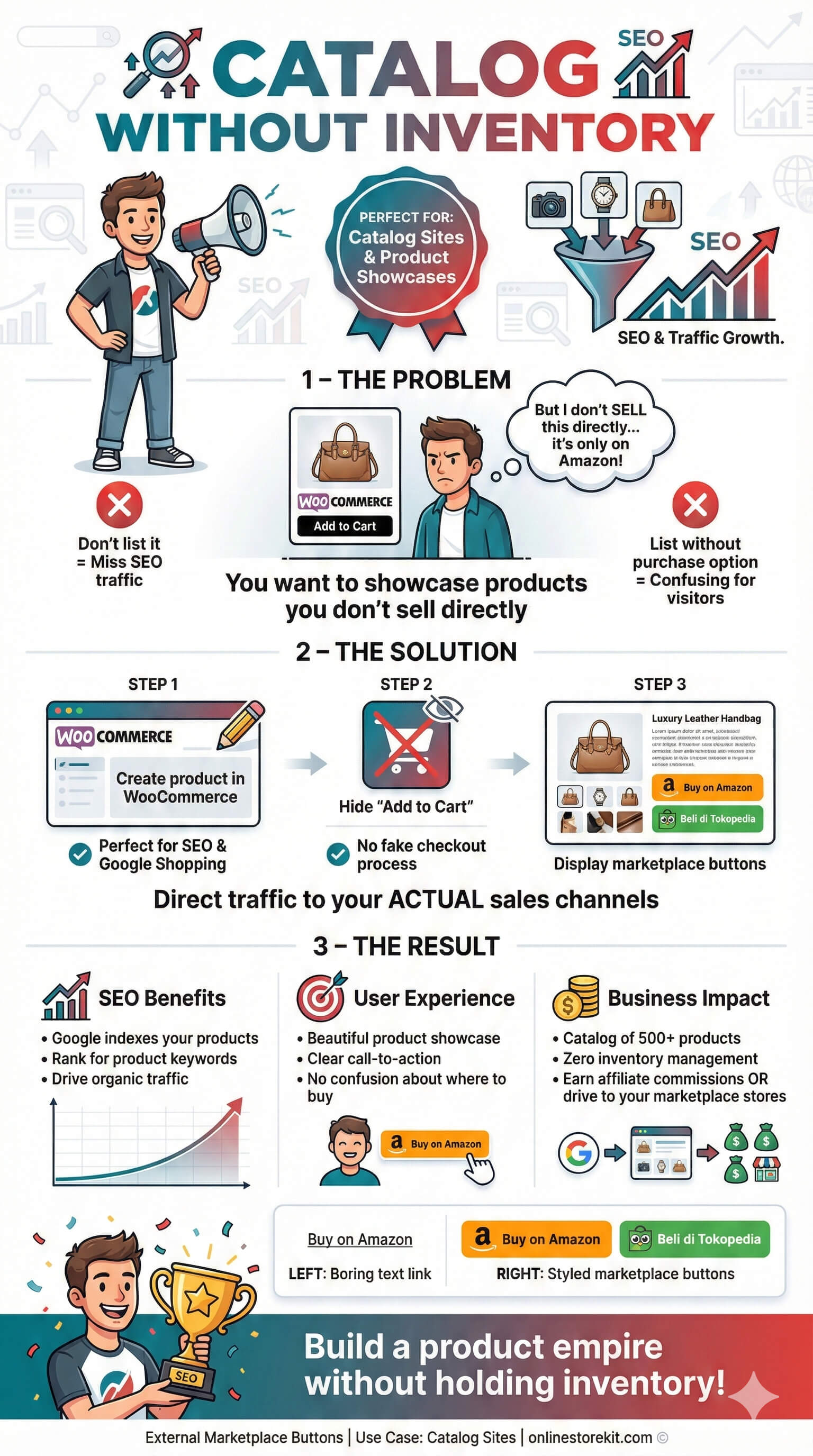
Some products you don’t sell directly. They’re only on Amazon. Or only on Tokopedia.
You want to showcase these products, but WooCommerce expects you to sell them.
Create the product in WooCommerce (great for SEO), hide the Add to Cart button, and display marketplace buttons instead.
A beautiful product catalog that drives traffic to your actual sales channels.
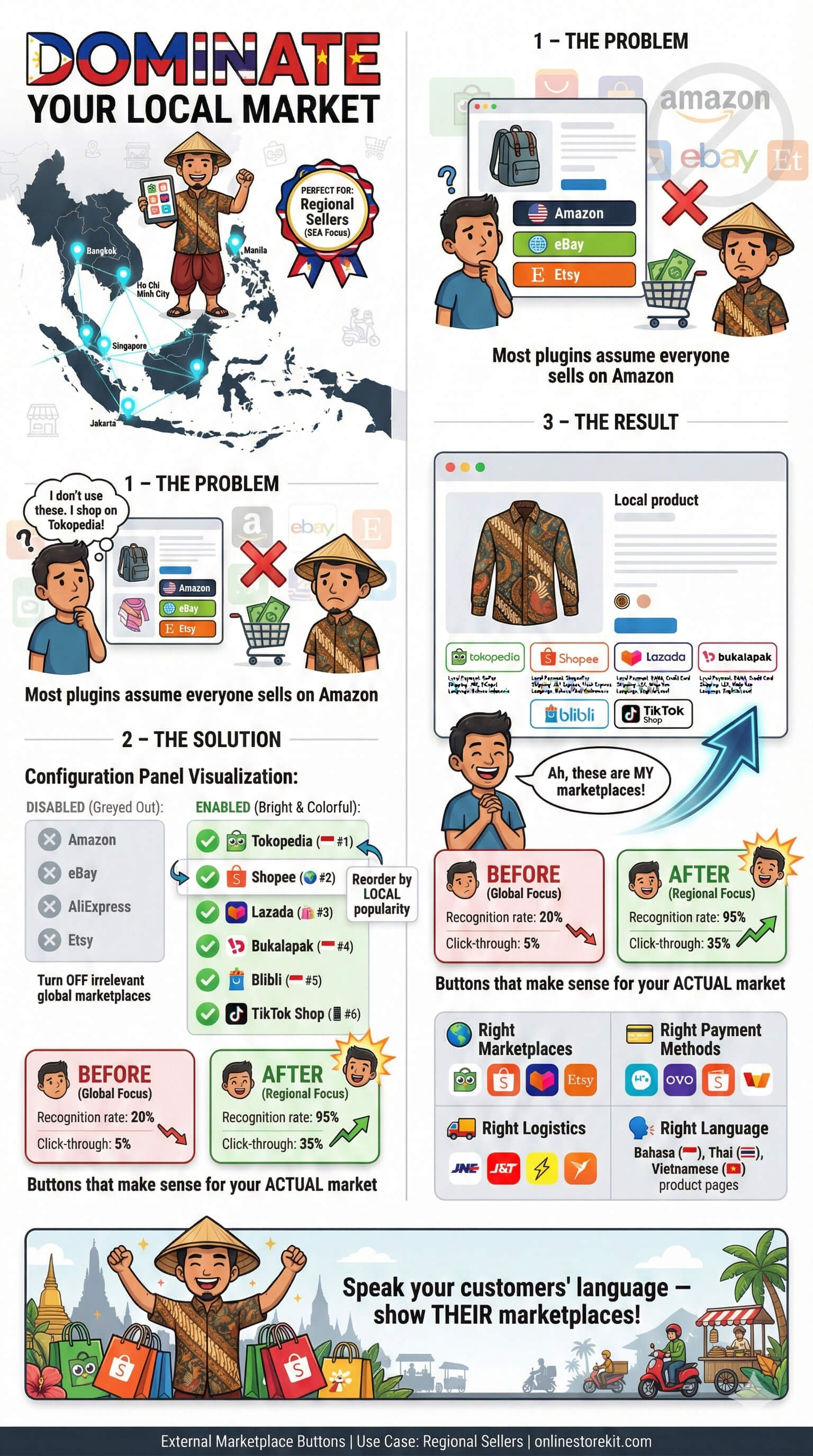
You target Indonesian customers. Or Thai. Or Vietnamese. Global marketplaces aren’t your focus.
Most plugins assume everyone sells on Amazon.
Disable global marketplaces. Enable Tokopedia, Shopee, Lazada, Bukalapak, Blibli. Reorder by local popularity.
Buttons that make sense for your actual market.
You can find the answers to your questions in the following frequently asked questions section.
Not at all. Everything is configured through a visual settings panel. Point, click, done.
No. The plugin loads minimal CSS and JavaScript, only on pages where it’s needed.
Yes. External Marketplace Buttons works with any properly coded WordPress theme. If something looks off, custom CSS lets you adjust.
The plugin continues to work. You just won’t receive updates or support until you renew.
Each license is valid for one site. Running multiple stores? You’ll need a license for each.
Yes. If the plugin doesn’t work for your use case, contact us within 14 days for a full refund.
Absolutely. All transactions are processed through secure payment gateways. We never see your card details.
Stop losing customers who prefer other platforms. Start showing them exactly where to buy.
Complete tool kit for your online store with professional services and full customizations.
Kemang Utara
South Jakarta
Greater Jakarta
Indonesia 12730
This website uses cookies or similar technologies, to enhance your browsing experience and provide personalized recommendations. By continuing to use our website, you agree to our Privacy Policy