



OneClick WCFM Connector
Easily combine the power of WordPress and WooCommerce, OneClick Chat to Order, WCFM Frontend Manager and WhatsApp to have a powerful multi-vendor store that your vendors will love!
WhatsApp for Multi-Vendors
OneClick WCFM Connector is the first premium add-on for OneClick Chat to Order that will help you provide your vendors the options to enable order processing via WhatsApp. This handy plugin will integrate OneClick Chat to Order and WCFM Frontend Manager.
Extraordinary Features
#1 WhatsApp Plugin for
WCFM Marketplace
Effortlessly extend the WCFM Marketplace features and give your vendors the option to utilize WhatsApp.
Help them increase their sales, increase your revenue.
Features Overview
See OneClick WCFM Connector features at a glance.

WhatsApp Buttons for Vendors
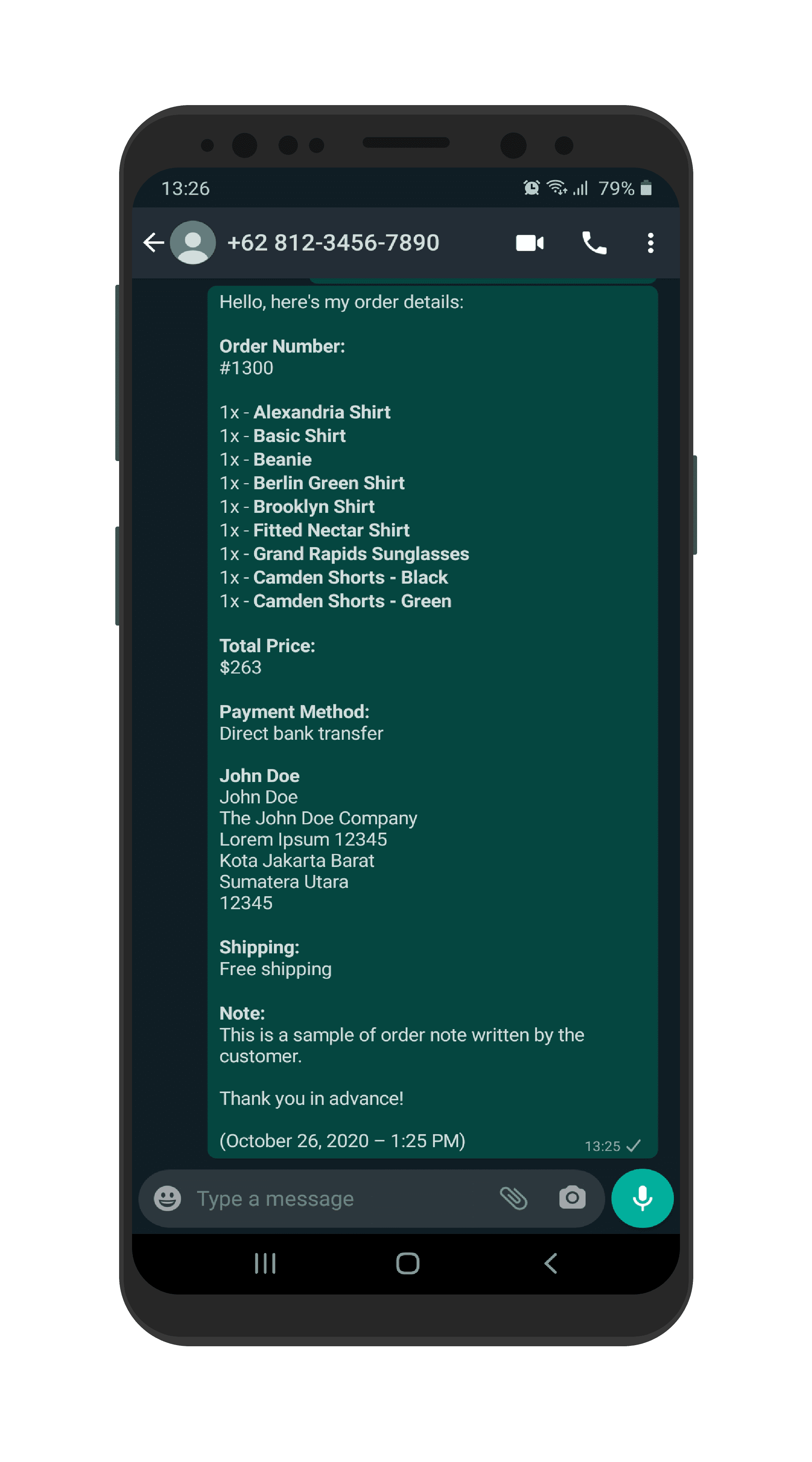
Provide your valuable vendors the options to show WhatsApp button on their products. Help them speed up the order process, increase their sales, increase your revenue!

Very Easy to Get Started
Both you and your vendors can set the configurations ready right away. Just enable some settings, add button texts and custom messages, and you’re both ready.

Owner-Controlled Options
You, as the owner, have full control over the options that will appear on vendors’ settings page. Enable or disable settings, set default texts and messages, etc.

Vendor-Controlled Options
The vendors will have the options that you have previously enabled, making it very easy for them to show WhatsApp button on each of their own products, set custom texts, etc.

Premium Support
Each purchase and valid license grant you to access the premium support for 12-month.
Store Owner Controls
Decide What You Want to Enable
As the store owner/manager, you have the full control over the options on which page the vendors can show their WhatsApp buttons.
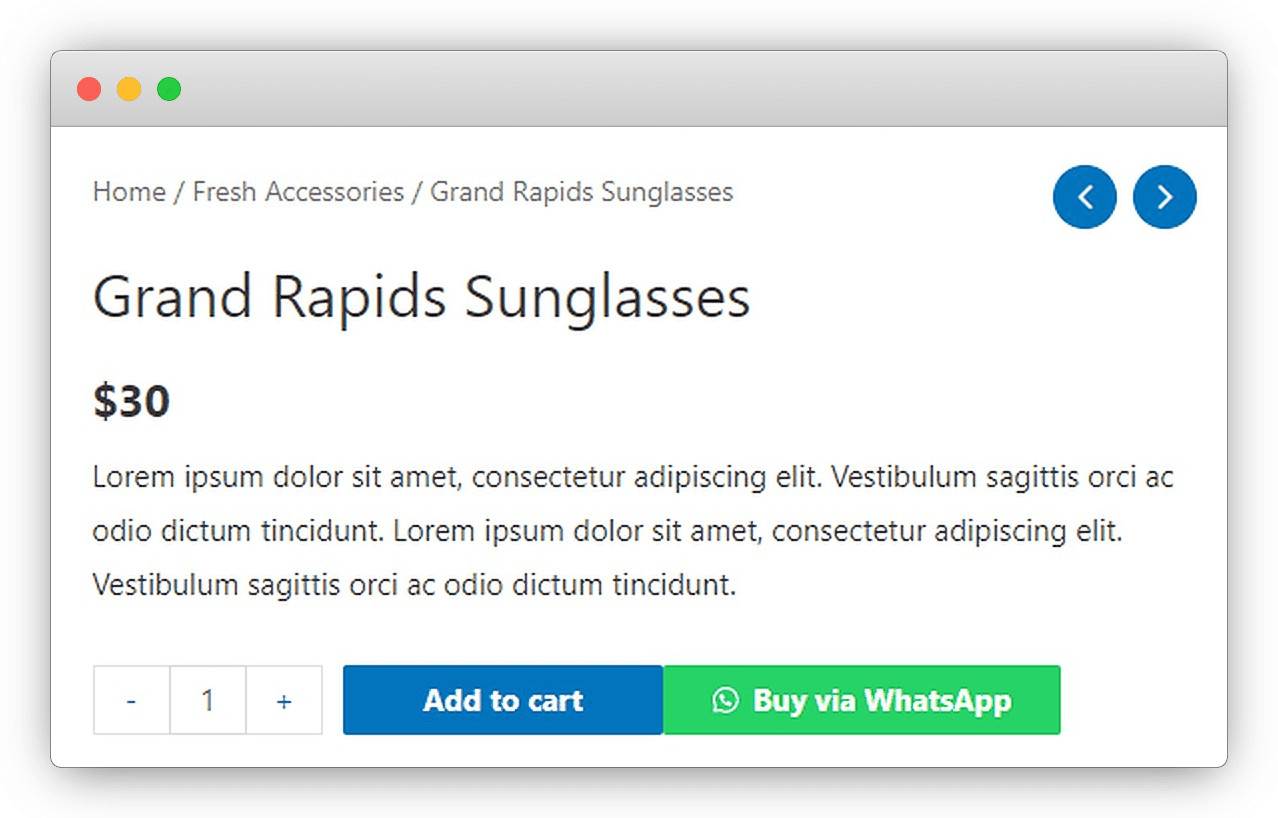
Single Product Page
WhatsApp Button on Single Product
Enable vendors to show button on single product page
Set Default Button Position
Depending on your theme and design taste, you can choose between three difference button placements.
Set Default Texts
Prevent empty texts by setting up the default texts to be used when your vendors skipped these options.
Product Loop
WhatsApp Button on Shop Loop
Let your vendors to show WhatsApp button under their own products on shop loop, works best on Shop page, related products or up-sells products grid.
Provide Vendors the Control
Each vendor will receive message about their own products on shop loop/shop page.
Set Default Texts
From text on button to thank you text, you can set the default texts for everything important.
Checkout Page
WhatsApp Button on Checkout Page
And provide the options for customers to directly confirm their orders to vendors.
Vendor’s Label
The option to show vendor’s label in the message content sent from thank you page.
Set Default Texts
Define the default texts to send in the message content. Vendors will have the options of their own.
Shortcode Generator
Display Shortcode Generator
You can let vendors to build their own shortcode button and display them in their store information page which customers can use to directly contact them via WhatsApp.
Build Your Own Shortcode Generator Page
You can use a pre-defined shortcode, build a landing page and put the shortcode there to have your own shortcode generator page.
Frequently Asked Questions
Have a Question?
Find the answers to your questions by looking at the most frequently asked questions.
What is OneClick WCFM Connector?
OneClick WCFM Connector is an add-on that will combine the power of both OneClick Chats to Order with WCFM Frontend Manager. You can provide options for vendors to process their customers’ orders via WhatsApp. The quicker the sale process, the quicker they increase their sales, thus increase your revenue as the site owner.
How to install and use OneClick WCFM Connector?
It’s very easy to get started with OneClick WCFM Connector Just follow these simple steps:
- Make sure your site has WooCommerce, OneClick Chat to Order, WCFM Marketplace, and WCFM Frontend Manager installed and activated.
- Purchase a valid license on OneClick WCFM Connector product page.
- Upload the .zip file. install and activate it.
- Enter your purchased license key and activate it.
- Begin configurating this plugin through WCFM Connector admin menu.
- Complete the configuration and you’re all set!
Can vendors show a WhatsApp button on their product page and checkout page of their purchased product(s)?
Of course! Actually, the options to let vendors show a WhatsApp button on their own products and checkout page of their own purchased product(s) are the main features of this plugin.
Is it compatible with the latest WordPress & WooCommerce version?
This plugin will regularly be updated to make sure its compatibility.
Where can I find the plugin documentation?
You can find the complete documentation on OneClick WCFM Connector Documentation page.
Help Vendors Increase Their Sales. Increase Your Revenue
Complete tool kit for your online store with professional services and full customizations.
Kemang Utara
South Jakarta
Greater Jakarta
Indonesia 12730
Tools
-
OneClick Chat to Order
-
OneClick WCFM Connector
-
OneClick Dokan Connector
-
OneClick WCVendors Connector
-
OneClick Variations Grabber
-
OneClick Cart Emptier
-
OneClick WP Hello
-
Indonesian Banks
-
WP MyLinks